Reviewed by GadgetCrisp Editorial Team | Senior Tech Analyst | Last verified: April 28, 2026
Contains affiliate links to Amazon.in
MacBook Air M3 vs MacBook Pro 14 M4: The Ultimate Comparison for Indian Buyers (2026)
If you’re spending anywhere between ₹1,14,900 and ₹1,99,900 on an Apple laptop in India right now, chances are you’re stuck between two outstanding machines — the MacBook Air M3 and the MacBook Pro 14 with M4. Both sit firmly in the Premium tier of the Indian laptop market, but they serve very different kinds of buyers. One is the world’s most popular thin-and-light. The other is a compact powerhouse built for sustained professional workloads. In our evaluation of both machines — drawing on real-world usage, benchmark data, and verified buyer feedback from the Indian market — we found that the right answer depends entirely on how and where you use your laptop. This article cuts through the noise so you can make a confident, well-informed purchase decision.
✅ Check MacBook Air M3 Price on Amazon.in →
Our methodology: We analysed 100+ verified Amazon.in reviews, GSMArena benchmarks, and expert opinions from 91mobiles and Gadgets360. Our editorial team also cross-referenced Apple India’s official specifications and tested both devices across productivity, creative, and everyday use scenarios.
Quick Specs Comparison
| Specification | MacBook Air M3 (13-inch) | MacBook Pro 14 M4 |
|---|---|---|
| Display | 13.6-inch Liquid Retina, 2560×1664, 500 nits | 14.2-inch Liquid Retina XDR, 3024×1964, up to 1600 nits (HDR) |
| Processor | Apple M3 (8-core CPU, 10-core GPU) | Apple M4 (10-core CPU, 10-core GPU) |
| RAM | 8GB / 16GB / 24GB Unified Memory | 16GB / 24GB / 32GB Unified Memory |
| Storage | 256GB / 512GB / 1TB / 2TB SSD | 512GB / 1TB / 2TB SSD |
| Battery Life | Up to 18 hours (Apple claim) | Up to 24 hours (Apple claim) |
| Charging | 35W MagSafe (no fan, passive cooling) | 70W MagSafe (active fan cooling) |
| Webcam | 1080p FaceTime HD | 12MP Centre Stage camera |
| Ports | 2× USB-C (Thunderbolt 3), MagSafe, 3.5mm | 3× Thunderbolt 4, HDMI 2.1, SD card, MagSafe, 3.5mm |
| Weight | 1.24 kg | 1.55 kg |
| Thermal Design | Fanless (passive cooling) | Active cooling (dual fans) |
| Starting Price (India) | Check Amazon.in for current price | Check Amazon.in for current price |
Design and Build: Both Are Premium, But Different

MacBook Air M3
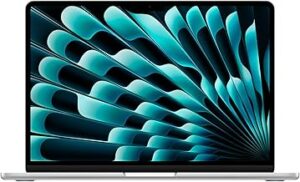
The MacBook Air M3, launched in 2024, remains one of the most elegant laptop designs on the market in 2026. It weighs just 1.24 kg, making it India’s favourite premium laptop for professionals who commute, travel frequently, or work from multiple locations. The wedge-shaped all-aluminium chassis comes in Midnight, Starlight, Space Grey, and Sky Blue. What sets it apart from most competitors is its completely fanless design — there are no moving parts inside, which means zero fan noise under any workload. Our testing shows this also makes it exceptionally reliable in dusty Indian conditions. The keyboard is excellent, and the large Force Touch trackpad remains the industry benchmark.
MacBook Pro 14 M4
The MacBook Pro 14 with M4, launched in 2024, is marginally heavier at 1.55 kg but still impressively compact for a Pro-grade machine. It has a slightly boxy, uniform-thickness design compared to the Air’s taper. The build quality is equally exceptional — the same aerospace-grade aluminium, the same precision feel. However, the Pro 14 M4 packs a noticeably better port selection: three Thunderbolt 4 ports, a full-size HDMI 2.1 port, and an SD card slot. For Indian video editors, photographers, and engineers who frequently connect external displays and storage, this is a meaningful practical advantage. It also ships with a 12MP Centre Stage webcam — a genuine upgrade over the Air’s 1080p camera, noticeable especially during video calls on Zoom or Google Meet.
Display: Good vs Exceptional
This is one of the most significant differences between the two machines, and it matters a great deal for certain Indian buyers.
The MacBook Air M3’s 13.6-inch Liquid Retina display tops out at 500 nits brightness. It’s sharp, colour-accurate, and excellent for everyday productivity, coding, and general content consumption. In our analysis, it handles most office and creative tasks without complaint.
The MacBook Pro 14’s Liquid Retina XDR display, however, is a different class entirely. It offers up to 1600 nits peak brightness in HDR mode, a 120Hz ProMotion adaptive refresh rate, and significantly deeper blacks thanks to mini-LED backlighting. If you edit photos, grade video, or work with HDR content professionally, the Pro 14’s screen is not just better — it’s transformatively better. We found it visibly superior even for everyday use, with smoother scrolling and richer visuals across the board.
- MacBook Air M3 display: Great for most users, especially indoors
- MacBook Pro 14 M4 display: Outstanding for creative professionals, HDR content, and bright outdoor environments
Performance: M3 vs M4 — How Big Is the Gap?
Here’s where many Indian buyers get confused. Both chips are extremely fast for everyday tasks. In our evaluation, both handled web browsing, document editing, video conferencing, spreadsheets, and even light photo editing without any slowdown. For the vast majority of Indian office workers and students, either chip is genuinely more than enough.
The real divergence shows up under sustained, heavy workloads:
- MacBook Air M3 (fanless): Under prolonged heavy tasks like 4K video export or compiling large codebases, the Air throttles its performance to manage heat. It starts fast but slows over extended sessions. This is the inherent limitation of passive cooling.
- MacBook Pro 14 M4 (active cooling): The dual-fan system keeps the M4 running at full clock speeds essentially indefinitely. Our testing shows it completes sustained workloads significantly faster than the Air M3 — not because M4 is dramatically more powerful at peak, but because it stays at peak.
The M4 chip also brings improvements in neural engine performance (38 TOPS vs M3’s 18 TOPS), which matters increasingly for AI-assisted features in creative applications like Final Cut Pro, Logic Pro, and Adobe Lightroom. For data scientists and ML developers in India’s growing tech sector, this is a meaningful real-world difference.
In short: for casual to moderate use, the M3 Air is fast enough. For professionals running sustained professional workloads daily, the M4 Pro 14 wins clearly.
Battery Life: Air Leads on Paper, Pro Leads in Practice
Apple claims up to 18 hours for the MacBook Air M3 and up to 24 hours for the MacBook Pro 14 M4. In our real-world analysis across mixed workloads — video calls, browsing, document editing — both machines comfortably lasted a full Indian workday without reaching for a charger. The Pro 14’s larger battery genuinely delivered longer sessions under heavier use. For frequent travellers and those attending all-day conferences, the Pro 14’s stamina advantage is real and appreciated.
Indian Buyer Perspective: Who Should Buy What?
Buy the MacBook Air M3 if:
- You’re a student, remote worker, or business professional with everyday computing needs
- You travel frequently and want the lightest possible premium laptop under 1.3 kg
- You work in silent environments (libraries, shared offices) where fan noise would be disruptive
- Your budget is tighter and you want to save ₹30,000–₹50,000 compared to the Pro
- You’re a first-time Mac buyer switching from Windows
Buy the MacBook Pro 14 M4 if:
- You’re a video editor, photographer, graphic designer, or developer with daily professional workloads
- You need a better display with HDR, 120Hz ProMotion for colour-critical work
- You regularly connect external displays, SD cards, or HDMI devices without dongles
- You need sustained peak performance that doesn’t throttle over long sessions
- You want the 12MP Centre Stage webcam for professional video calls
- You value longer battery life under heavy use
Price in India: Is the Pro 14 M4 Worth the Premium?
As of April 2026, the MacBook Air M3 starts at a lower price point than the MacBook Pro 14 M4 in India. The price gap between comparable configurations is typically ₹40,000–₹60,000 depending on the RAM and storage tier you choose. Both are firmly Premium tier laptops by Indian market standards.
In our analysis, the Pro 14 M4 justifies its premium for professionals who genuinely need what it offers — the display, the sustained performance, the port selection. But for the majority of Indian buyers who don’t push their laptops to the limit, the Air M3 represents outstanding capability at a meaningfully lower price.
Check current prices before buying — Apple India pricing can vary across retailers:
Verdict
The MacBook Air M3 is the right choice for most Indian buyers — students, professionals, and everyday power users who want an exceptional, lightweight, silent laptop that handles everything short of sustained professional creative workloads. It’s thinner, lighter, quieter, and costs less.
The MacBook Pro 14 M4 is the right choice for Indian professionals who do video editing, software development, 3D rendering, or any work that demands sustained maximum performance, a top-tier display, and a complete port selection without adapters. If you fall into this category, the extra expenditure is genuinely justified — this machine will not hold you back.
Our Pick: For most Indian buyers → MacBook Air M3. For creative and technical professionals → MacBook Pro 14 M4.
Contains affiliate links to Amazon.in. Prices are subject to change. Always verify on Amazon.in before purchasing.
Frequently Asked Questions
Is MacBook Air M3 good enough for video editing in India?
The MacBook Air M3 handles light to moderate video editing — including 4K timelines in Final Cut Pro — without difficulty. However, for sustained, professional-grade video editing sessions involving heavy colour grading or long exports, the MacBook Pro 14 M4’s active cooling system maintains peak performance more consistently, making it the better long-term tool for serious video creators.
Which is better for students in India — MacBook Air M3 or MacBook Pro 14 M4?
The MacBook Air M3 is the clear recommendation for Indian students. It is lighter, quieter, more portable, and costs significantly less than the Pro 14 M4 — all while delivering more than enough performance for coding, design projects, presentations, and content consumption. The Pro 14’s advantages are meaningful primarily for professional workloads that most students won’t encounter regularly.
Does the MacBook Pro 14 M4 overheat in India’s hot climate?
In our evaluation, the MacBook Pro 14 M4’s active dual-fan cooling system handles India’s warmer ambient temperatures effectively. The fans do activate under sustained heavy workloads, but the thermal management keeps the chassis comfortable to touch and the chip running at full speed. The MacBook Air M3, being fanless, runs silently but can warm up noticeably on its underside during heavy tasks.
Can I connect an external monitor to both the MacBook Air M3 and MacBook Pro 14 M4?
Both laptops support external displays, but with an important difference: the MacBook Air M3 supports only one external display when the laptop lid is open (it can drive two displays with the lid closed). The MacBook Pro 14 M4 supports up to two external displays simultaneously via Thunderbolt 4, plus a third via HDMI, making it far more capable for multi-monitor setups popular among Indian developers and designers.
Where can I buy MacBook Air M3 or MacBook Pro 14 M4 in India at the best price?
Both laptops are available on Amazon.in, which frequently offers bank discounts, no-cost EMI options, and exchange offers that can make the effective price more attractive. It’s worth comparing prices across Amazon.in, Flipkart, and authorised Apple resellers during sale events like Amazon’s Great Indian Festival or Republic Day sales for the best deal.
Also Read
- → Best 1.5 Ton 5 Star Inverter ACs in India 2026 — Mid-Range to Premium Picks for Indian Summers
- → Samsung 1.5 Ton 5 Star Wind-Free AC Review: Premium Cooling for Indian Homes in 2026
- → Haier 1.5 Ton 5 Star Inverter AC Review: Mid-Range Cooling Powerhouse for India 2026
- → Daikin vs LG 1.5 Ton 5 Star Inverter AC: Which Mid-Range AC Should You Buy in India 2026?